
Query & analyze
Downloads & exports
One export dialog serves the whole product. Wherever you see a download button — on a dataset, a view, or a chat answer — it opens the same flow: pick a format, optionally shape the data with SQL, and GoPie generates the file server-side.
Export a dataset or view#
The download button lives in the right rail of every dataset and view page:
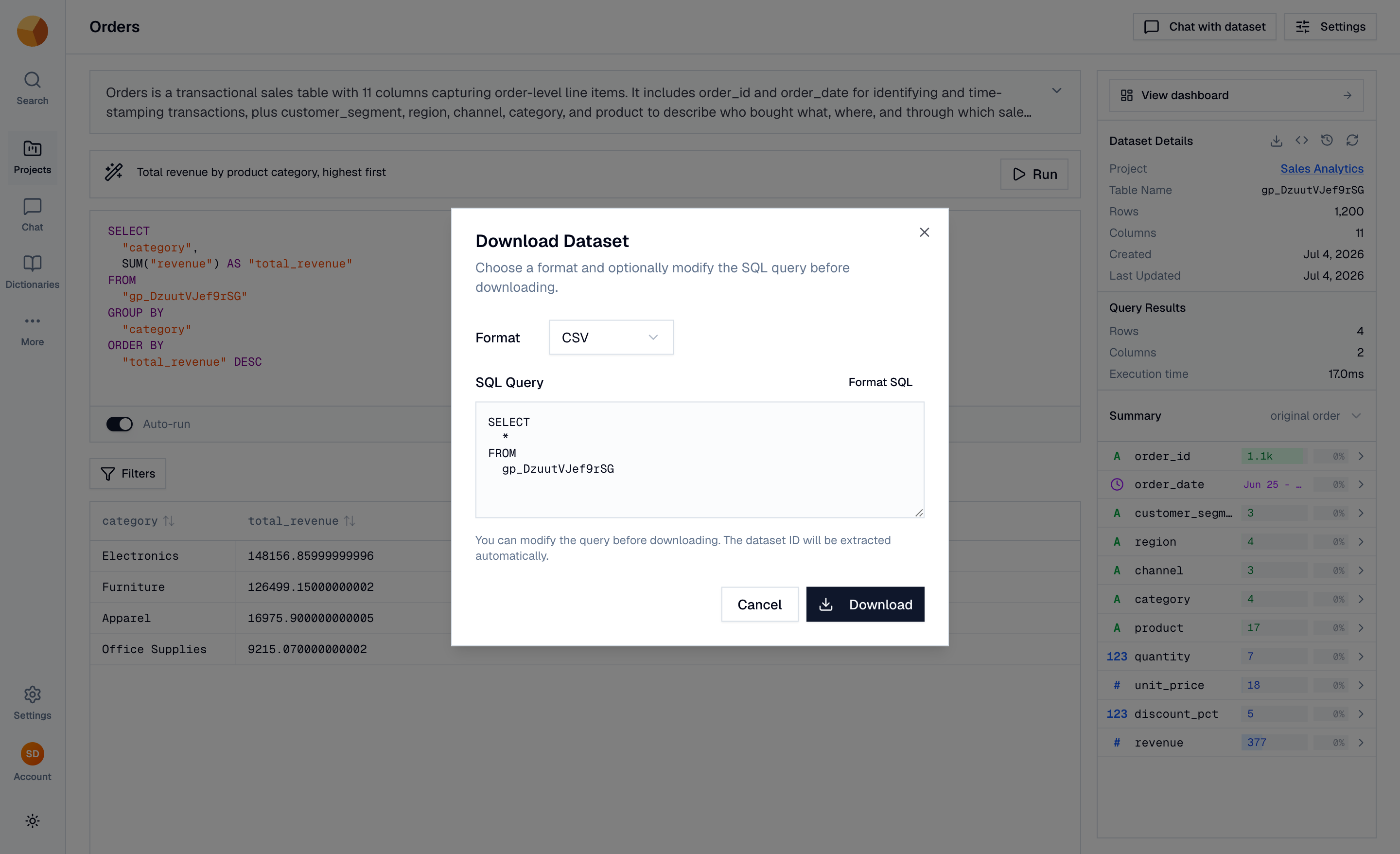
Choose CSV, JSON, or Parquet and select Download. The export runs on the server with live progress — no browser memory limits, no tab you can't close — and the finished file opens in a new tab when it's ready.
TipExporting to hand off to another data tool? Use Parquet — it's compressed, preserves column types exactly, and loads faster than CSV everywhere it's supported.
Shape the export with SQL#
The dialog's query box is pre-filled with the full table (SELECT * FROM …) — but it's editable. Filter, aggregate, or join before exporting; the file contains exactly what the query returns:
SELECT order_date, category, amount
FROM gp_orders
WHERE order_date >= '2026-01-01'
Unlike API requests, exports have no row cap — this is the right channel for pulling a complete dataset out of GoPie.
Export query and chat results#
- From chat: the results panel's Download results button opens the dialog pre-filled with the SQL behind the answer.
- From the playground: open the dataset's download dialog and paste your playground query into the SQL box.
Export metadata, not just data#
On a dataset, the download button is a small menu: Dataset exports the rows; Metadata exports a PDF or JSON document describing the dataset — schema, column types, and descriptions. Useful as shareable documentation for people who don't have a GoPie login.
Understand links and reuse#
- Export files land in GoPie's storage and the download link stays valid for 24 hours. After that, just export again.
- Repeat exports are deduplicated: request the exact same export (same dataset, query, format, and version) within the window and you get the same file back instantly instead of a re-run.
- If an identical export is still being generated, GoPie says so — "A previous download for this query is still processing" — rather than starting a duplicate.
Anyone who can see a dataset can export it — export permissions simply follow read access.
Export a past version#
On deployments with version history, exports are version-aware: while previewing an older version, the download button exports as of that version (the tooltip says so — "Download Dataset (as of version N)"). That's the clean way to hand someone the data exactly as it stood last quarter.