
Collaboration & admin
Sharing & access
Owners and admins see everything in the organisation, so sharing in GoPie is about members: a grant is what makes a project or dataset appear in a member's GoPie at all. This page covers each surface and what it actually unlocks.
Share a project#
Manage access (in the project's ⋯ actions menu) opens the access panel: pick any organisation member from the list and Add them. The table below it shows everyone with a grant, each removable with the trash icon.
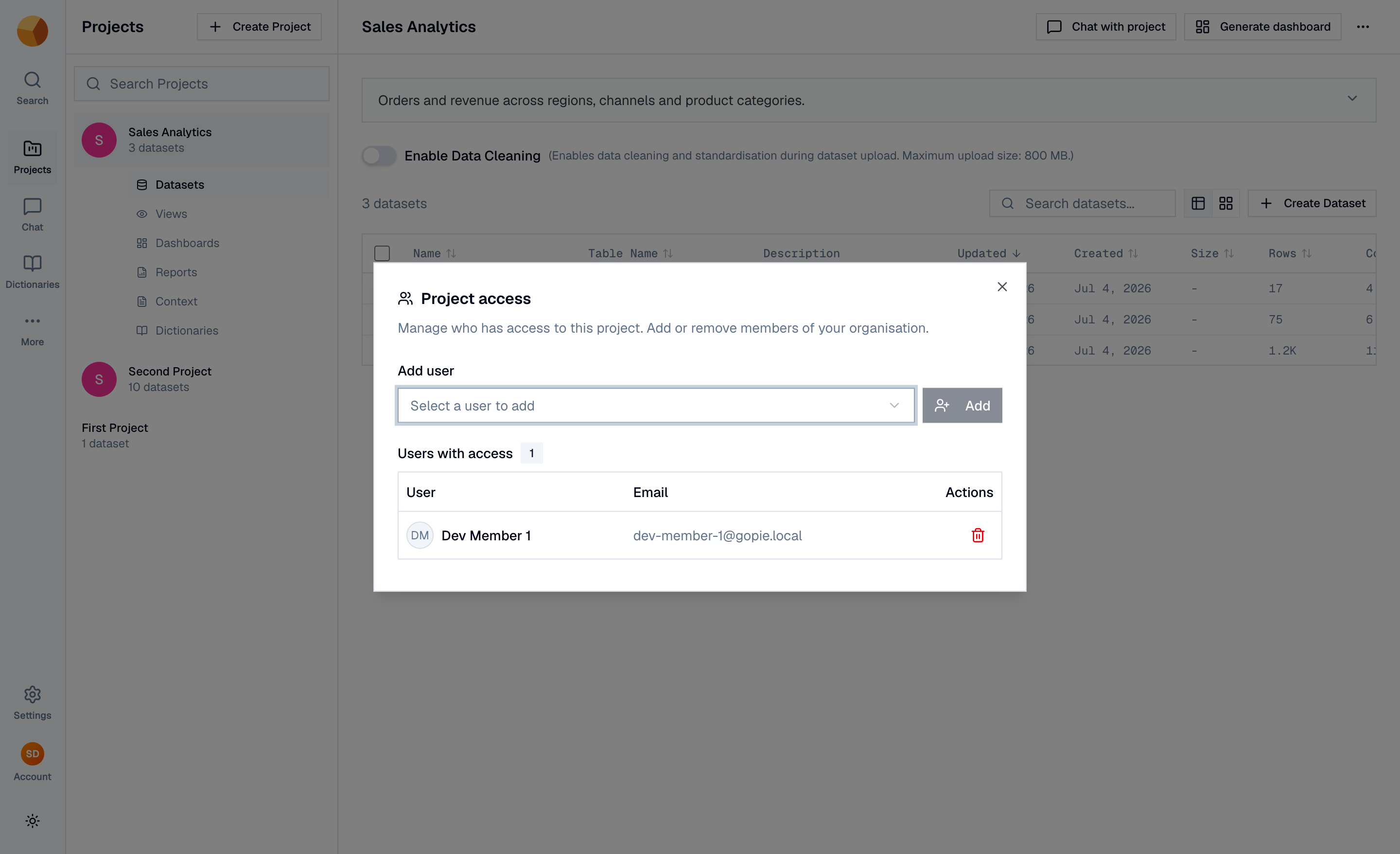
A project grant gives the member the project and everything inside it: its datasets to read and query, its views, its dashboards, and the ability to chat over any of it. It does not let them edit or delete the project itself — that stays with the role matrix.
Only owners and admins can grant or revoke access. Revoking removes the project from the member's world immediately.
Share a single dataset#
Sometimes a whole project is too much. The Access tab in a dataset's settings is the same picker, scoped to one dataset — the member gets that dataset (query, chat, its dashboard) without seeing its siblings.
Access to a dataset is the union of three paths: you created it, you hold a direct dataset grant, or you hold a grant on its parent project. Any one suffices.
NoteGrants shape what members see. They're unrelated to applications, which carry their own project/dataset grants for API keys — granting a member a dataset does nothing for any API key, and vice versa.
What about chats, dashboards, views and reports?#
- Chats have their own mechanism — a per-chat visibility switch with a public link, covered in History, sharing & reliability. Chats are personal: project grants never expose your conversations.
- Dashboards have no share switch. A dashboard is visible to whoever can reach its source dataset, view or project — share the data, and the dashboard comes with it. Editing follows the owner/admin/creator rule.
- Views and reports inherit access from their project the same way. There are no per-view or per-report grants.
What sharing never does#
Sharing in GoPie stays inside the organisation, by design:
- No cross-organisation sharing — resources can't be shared into another organisation.
- No public links for projects, datasets, dashboards or reports — the only public link in the product is a chat's.
- No guest accounts — everyone you share with must be a member of your organisation first (invite them).
To hand data to someone outside the organisation, export it — or give a system integration an API key scoped to exactly the datasets it needs.