
Context & knowledge
Context documents
Context documents are project-level reference material the AI can actually read: once indexed, chat searches them when a question needs background, the playground's Ask AI consults them while planning SQL, and reports can answer whole questions from them — with citations.
Good candidates: metric definitions, column codebooks, methodology write-ups, survey questionnaires, business glossaries. The test: would a new analyst need this document to interpret the data correctly?
Upload documents#
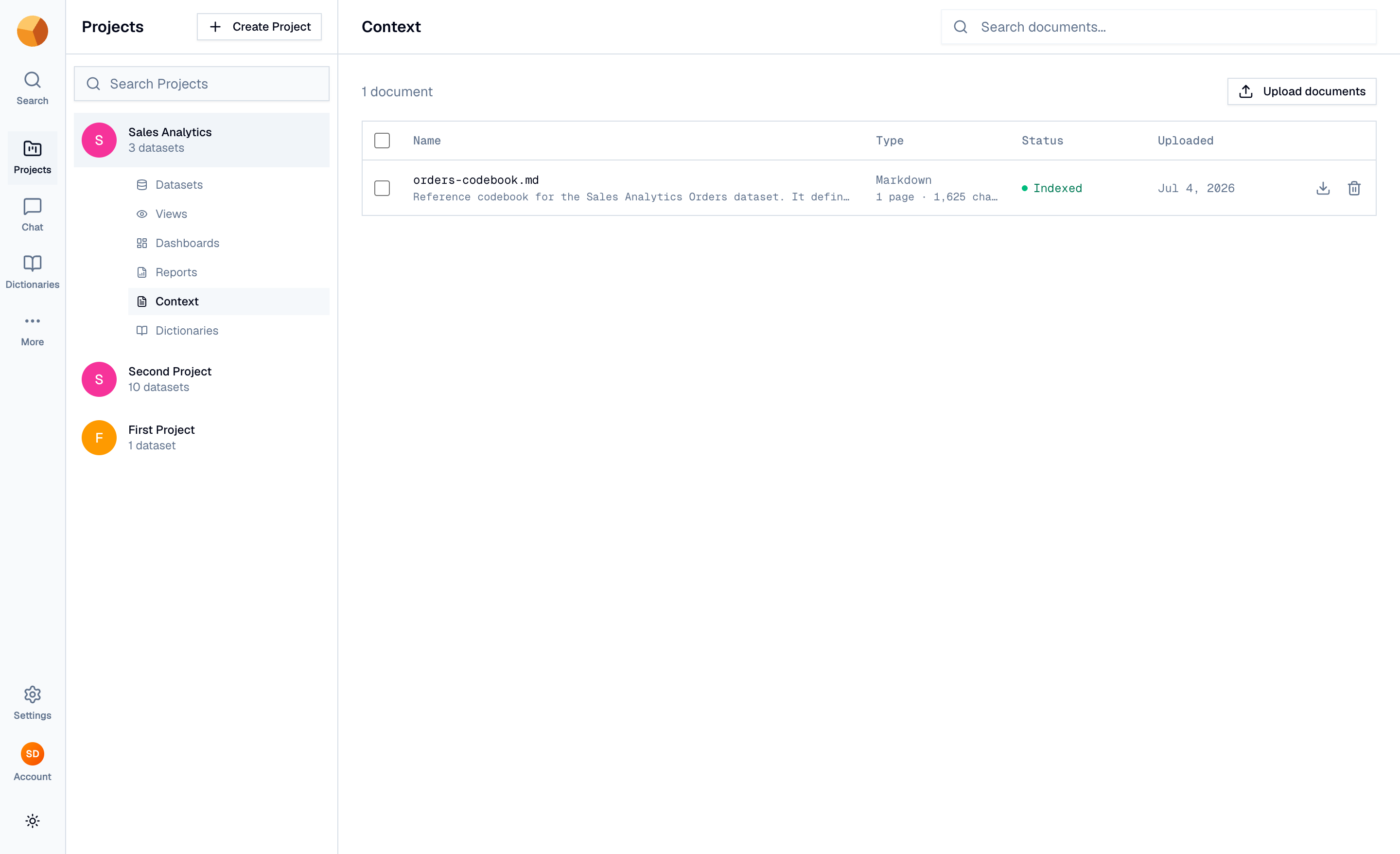
The project's Context tab lists the documents; Upload documents opens a two-step wizard.
- Upload — drop one or more files: PDF, DOCX, XLSX, CSV, JSON, MD, or TXT. Then Add documents.
- Confirm — the success screen tracks each document's indexing live. Indexing runs in the background (documents are chunked and embedded for semantic search), so you can Go to Context immediately.
Each document in the list carries a status — Indexed, Indexing…, Not indexed, or Failed. Only indexed documents are searchable; if any fail or stall, a Re-index button appears above the list to retry them in bulk. GoPie also writes a short description of each document automatically once it's read.
Use them#
Nothing to configure — once indexed, the documents are part of the project's context:
- In chat, the agent searches them on demand and lists consulted files under the answer as Sources cited.
- In reports, indexed documents unlock From documents questions and the Ground with documents option on data questions; generated sections cite the exact files.
- In the playground, Ask AI consults them while planning a query.
TipDocuments complement descriptions, not replace them. A column's one-line meaning belongs in its description (always injected); the ten-page methodology belongs in a document (searched when needed).
Manage the library#
- Open a document to read it in place (PDFs, markdown, and text render inline) or download the original.
- Delete removes the document and its search index — permanently. Existing report snapshots that cited it keep their citations; the links just have nowhere to go.