
Getting started
Query with SQL
Open the editor#
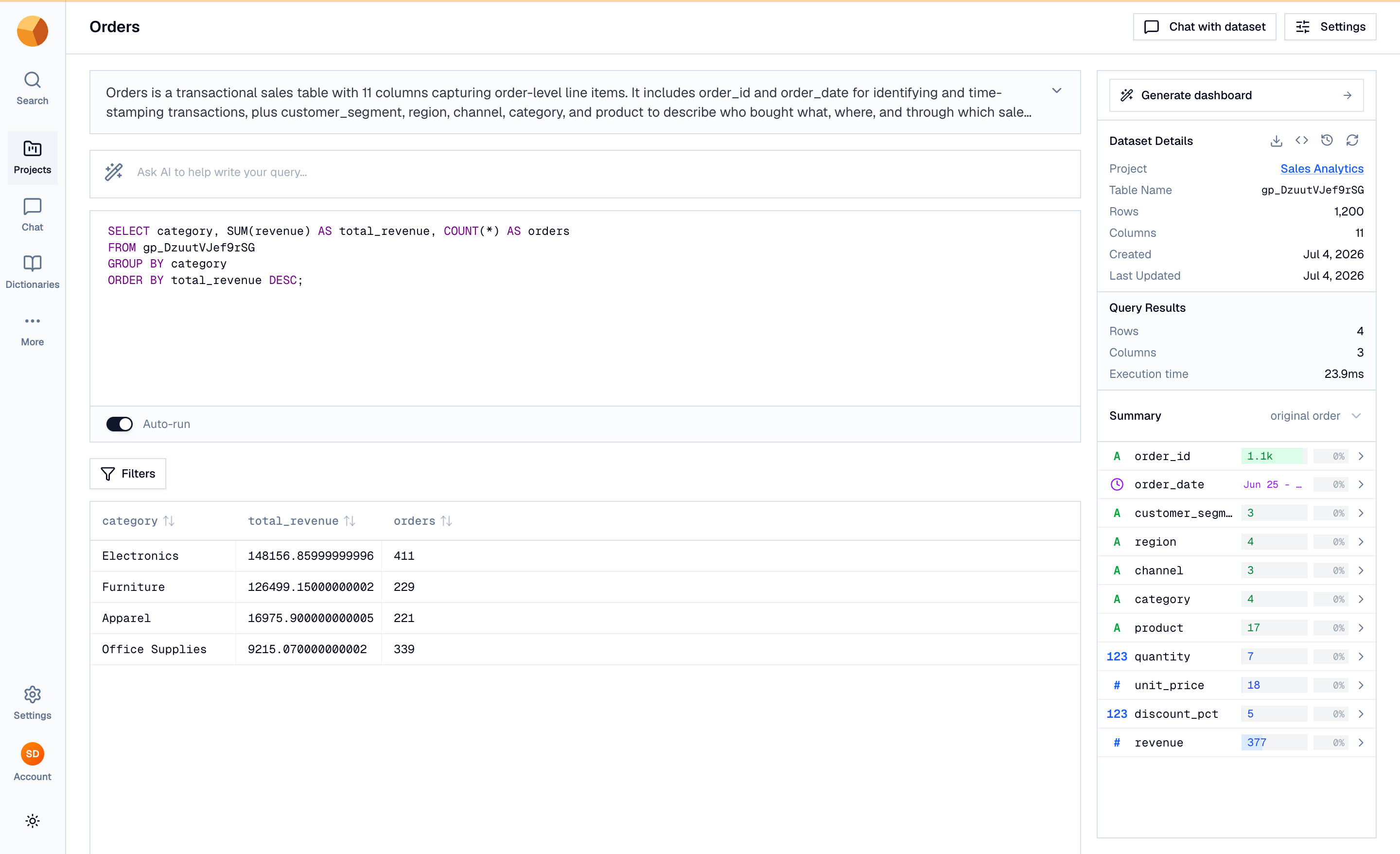
Every dataset page embeds the SQL editor. Open a dataset — here, Orders in the Sales Analytics project — and it runs SELECT * FROM <table> LIMIT 100 on its own, so rows appear before you type anything. The editor autocompletes keywords, your table name and columns. GoPie speaks a rich analytical SQL dialect.
Write and run a query#
Replace the starter query with an aggregate:
SELECT category, SUM(revenue) AS total_revenue, COUNT(*) AS orders
FROM gp_DzuutVJef9rSG
GROUP BY category
ORDER BY total_revenue DESC;
The highlighted table name comes from Dataset Details in the right rail — every dataset gets its own generated name, so yours differs from gp_DzuutVJef9rSG. Autocomplete suggests it after FROM.
Press ⌘ Enter (Ctrl Enter on Windows/Linux) to run, or switch on Auto-run to re-run as you type.
NoteThe in-browser validator occasionally flags valid SQL — date functions are a common case. Click Run anyway; the server executes the query and is authoritative.
Read the results#
Results render in a virtualized table below the editor; a Filters button narrows them without SQL. On Orders, the query returns four rows: Electronics leads at $148,156.86, ahead of Furniture ($126,499.15), Apparel ($16,975.90) and Office Supplies ($9,215.07). In the right rail, Query Results reports rows, columns and execution time (23.9 ms here), and the per-column Summary lists distinct counts and null percentages.
Ask AI to draft the query#
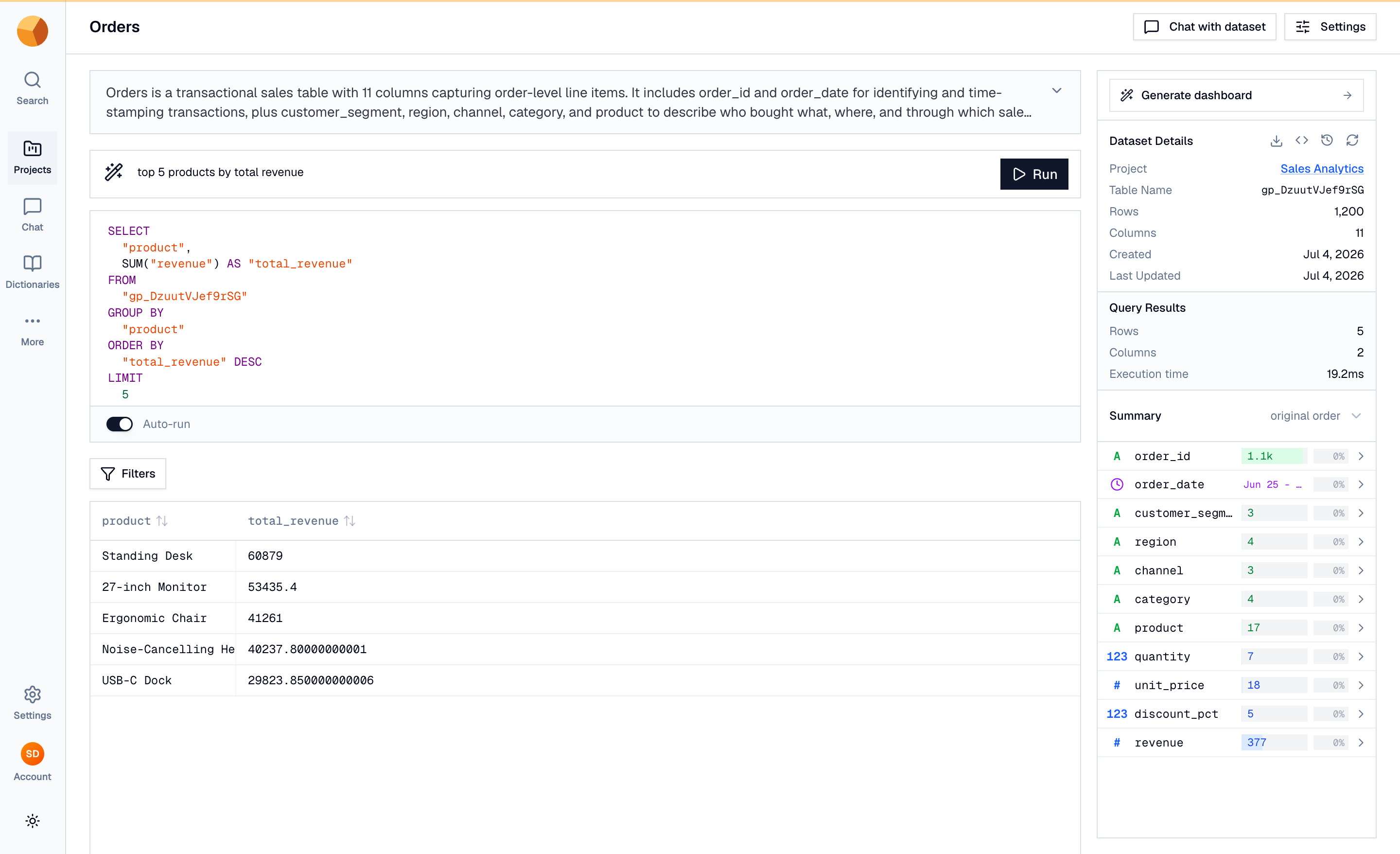
Above the editor sits Ask AI to help write your query…. Type plain English — top 5 products by total revenue — and press Run. GoPie writes dialect-correct SQL into the editor and runs it. The generated SQL is editable — extend and re-run it like anything you wrote.
When one query turns into a conversation, move to chat with your data — or, for the full playground reference (validation, cross-dataset queries, exports), see SQL playground.