
Account & settings
Global search & shortcuts
The fastest way around GoPie isn't the sidebar — it's ⌘ K (Ctrl K on Windows/Linux), from anywhere, even mid-typing in another field.
Search everything#
The palette searches projects, datasets and dashboards across your organisation as you type, grouped by kind, each result with its breadcrumb (which project a dataset lives in, which source a dashboard belongs to). ↑ ↓ to move, Enter to jump.
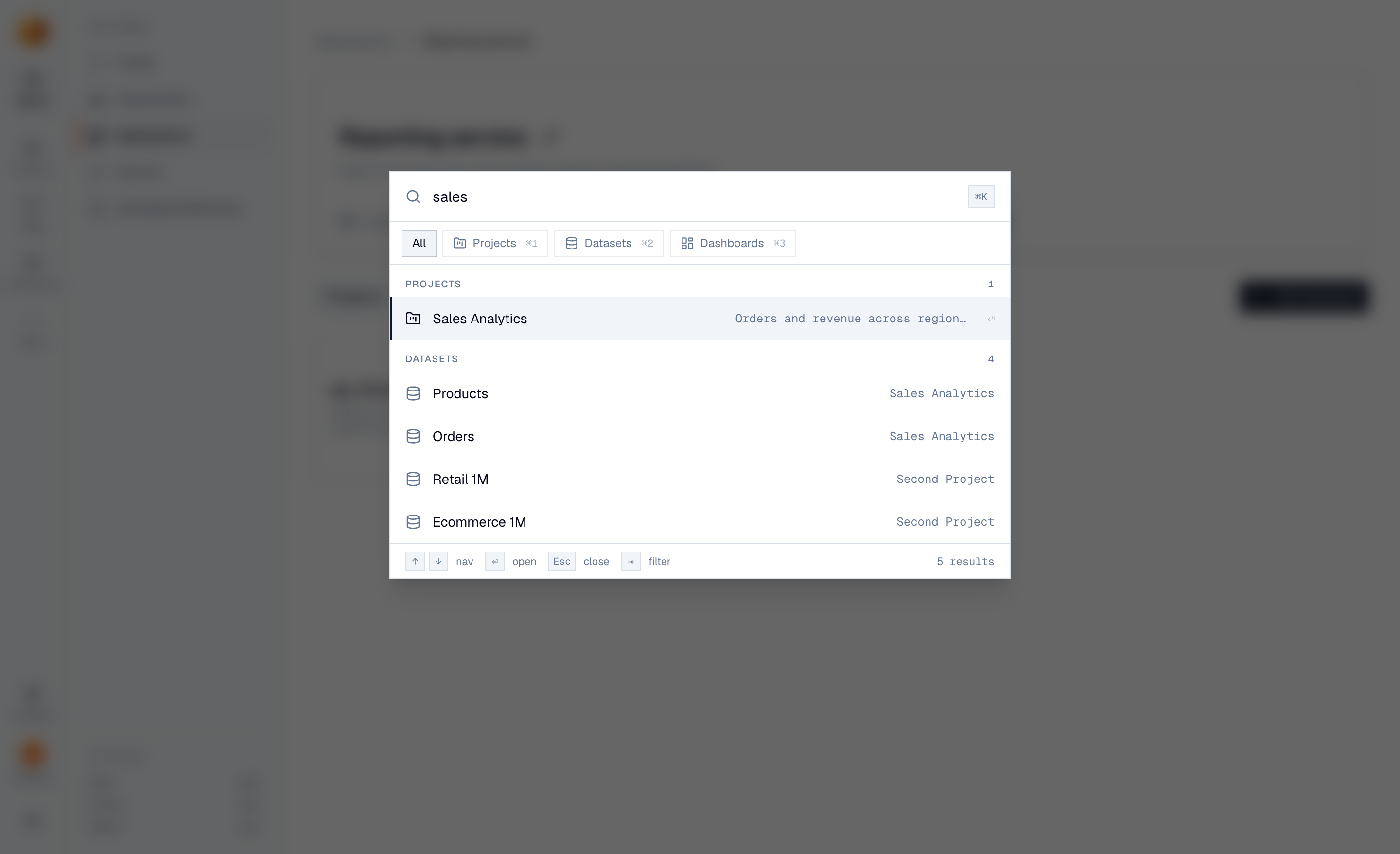
Two details worth knowing:
- Recent items — open the palette with an empty query and your last five opened items are already there. For the "back to the thing from this morning" jump, ⌘ K Enter usually does it.
- Filter by kind — ⌘ 1 narrows to projects, ⌘ 2 to datasets, ⌘ 3 to dashboards; press the same one again to widen back out.
Search matches names — for finding data by meaning ("which dataset has revenue by region?"), ask chat instead, which searches schemas and descriptions semantically.
NoteChats, views and reports aren't in the palette — find chats in chat history, views and reports on their project's tabs.
Keyboard shortcuts#
Press ? anywhere for the built-in shortcut card. The full working set:
| Keys | Where | What it does |
|---|---|---|
| ⌘ K | Everywhere | Open global search |
| ? | Everywhere | Show the shortcuts card |
| ↑ ↓ · Enter · Esc | Search palette | Move · open · close |
| ⌘ 1 / ⌘ 2 / ⌘ 3 | Search palette | Filter to projects / datasets / dashboards |
| Enter | Chat composer | Send the message (⇧ Enter for a new line) |
| Esc | Chat, mid-answer | Stop the stream, keep what's generated |
| ⌘ Enter | SQL playground | Run the query |
| ⌘ ⇧ + arrows | Dashboard edit mode | Move the selected tile |
| Esc | Inline edits & renames | Cancel without saving |
On Windows and Linux, read ⌘ as Ctrl throughout.