
Dashboards
Editing with dashboard chat
The Chat button on the dashboard toolbar opens a conversation that knows the whole dashboard — its data sources, its metrics, and the current canvas. It answers questions and makes changes, depending on the mode.
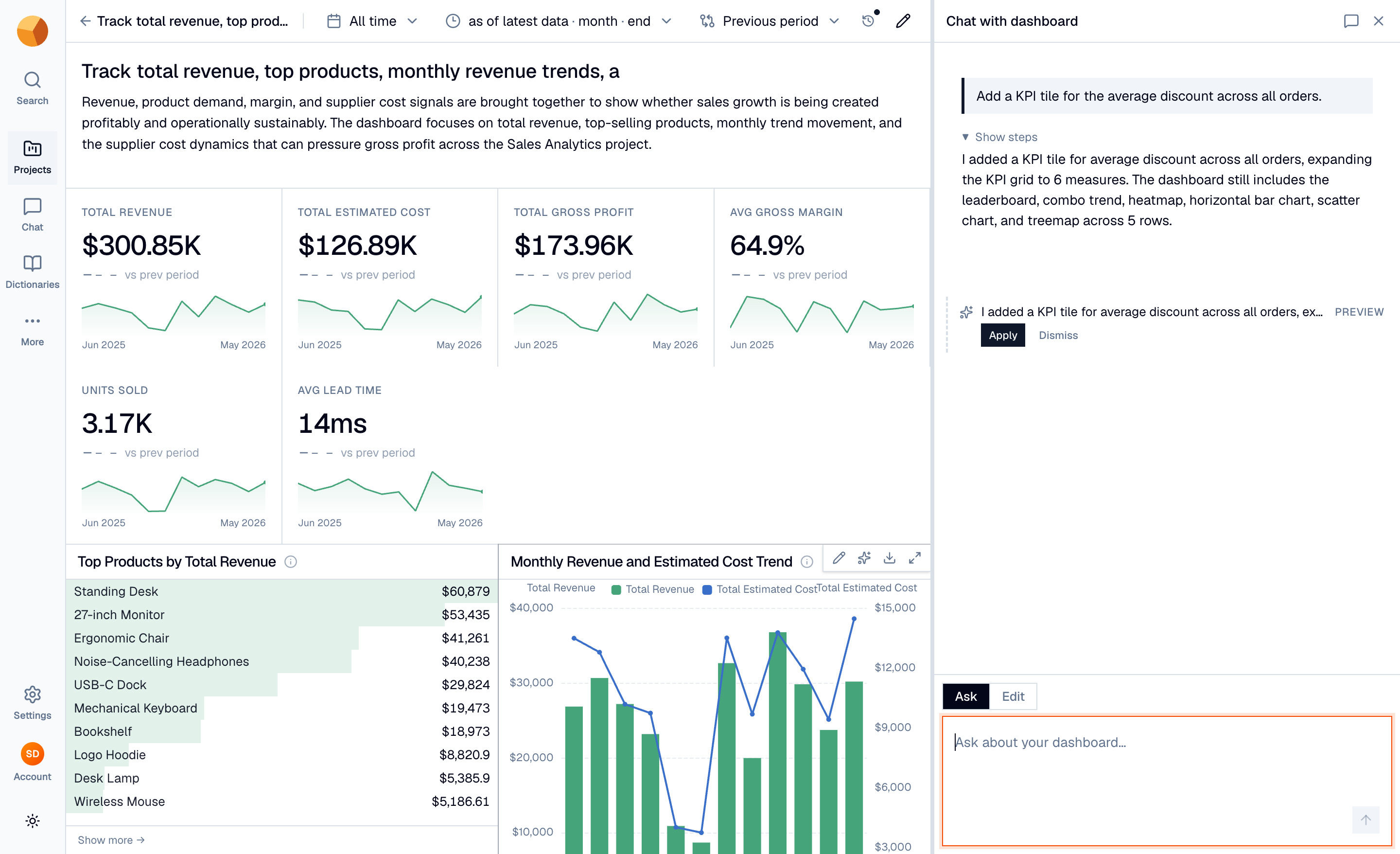
Ask questions#
In Ask mode ("Chat with dashboard"), the conversation behaves like chat with your data, pre-scoped to the dashboard's sources: "why did March dip?", "what's the average order value in the West region?". Query results open in the dashboard's results dock, and answers cite their SQL the same way chat always does.
If an Ask-mode question produces a canvas improvement, it arrives as a preview card — a dashed outline describing the change with Apply and Dismiss. Nothing touches the dashboard until you Apply.
Edit in plain language#
In Edit mode ("Edit dashboard"), your instructions change the canvas directly: "add a KPI for average discount", "make the revenue chart monthly", "drop the segment table". The change is validated the same way generation is — the new tile's query must execute — and the canvas updates in place.
Every applied change records a version, so nothing is unrecoverable.
Scope an edit to one tile#
Edits target the whole dashboard by default. To work on a single tile, focus it — click Refine with AI on the tile — and the chat's scope chip switches to that tile: "show this as a share of total", "sort descending". The agent then sees just that tile (and its row neighbours for layout), leaving the rest of the canvas untouched.
Keep the conversations#
Each dashboard keeps its own chat threads, separate from your global chat history:
- The Conversations menu in the panel header lists past threads by title — reopen any, or start a New chat.
- Closing the panel ends the session — reopening starts a fresh conversation (pick up an old one from Conversations). Reloading the page with the panel open resumes the stream, like chat everywhere.
Who can do what follows the dashboard edit rules: anyone who can view the dashboard can Ask; applying changes and Edit mode require edit permission.