
Account & settings
Applications & API keys
Every dataset in GoPie is an API, and API keys are how systems outside GoPie call it. Settings → Applications is where those keys live — managed by organisation owners and admins, scoped to the active organisation.
Think in applications, not keys#
An application represents one integration — "Reporting service", "Nightly ETL", "Partner portal" — and bundles two things:
- Grants — the projects and datasets its keys are allowed to touch.
- API keys — one or more credentials, each individually named, expiring and revocable.
That structure is the security model: a key can only reach what its application has been granted, so a leaked reporting key exposes the reporting datasets — not the organisation.
Create an application#
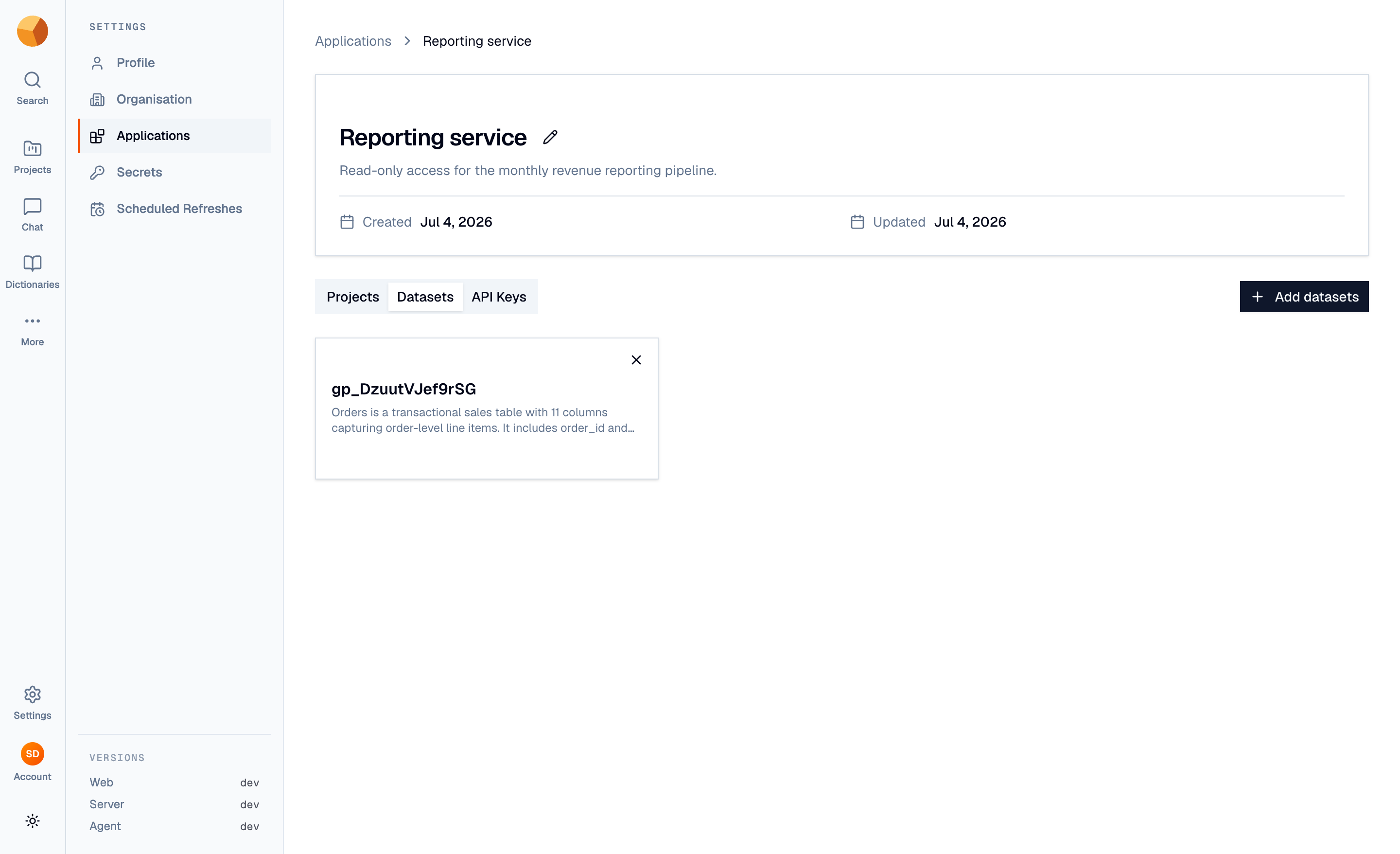
Create application asks for a name and a description of what it's for. On the application's page, use the Projects and Datasets tabs to add grants — a project grant covers all its datasets, a dataset grant covers just the one. Grants are editable anytime and take effect immediately; removing the application deletes it and all of its keys.
Create a key#
Under the application's API Keys tab:
Name it for the place it will live — "prod cron", "Ana's notebook" — and add a description.
Pick an expiry. 1 day to 1 year presets (or a custom period). Prefer short and renewable over long and forgotten.
Copy the key immediately. It's shown exactly once, prefixed
gp_pub_. GoPie stores only a hash — lose it and you create a new one.
Keys authenticate against GoPie's data API as a bearer token:
curl -H "Authorization: Bearer gp_pub_…" \
  https://your-gopie-host/v1/api/tables/your_table
Each key's card shows its status — Active, Expired, or Disabled — and when it was last used, which is how you find dead keys to delete. Deleting a key revokes it instantly.
ImportantTreat keys like passwords: environment variables and secret managers, never source control or client-side code. Rotating is cheap — create the new key, switch the consumer, delete the old one. GoPie stores keys only as hashes and never returns them again — see the Security overview for how secrets are held.
Scope with grants, not the checkbox matrix#
The key dialog also offers an optional per-key permissions matrix (resources × actions). Leave it alone: today the selection is recorded with the key but not yet enforced — every key operates with its application's full grants regardless. The application's project and dataset grants are the boundary that actually holds, so scope there.
NoteAPI keys made here are application-scoped, and that's what the REST data API expects. GoPie's MCP server (for connecting AI clients like Claude) uses a separate organisation-wide key type instead and refuses application keys — see Connect an MCP client.