
Context & knowledge
Dictionaries
AvailabilityDictionaries take effect during data cleaning, which is enabled per project — see Data cleaning.
A dictionary is a lookup table — a CSV mapping coded values to their human-readable meanings: state codes to state names, survey response codes to answer text, product SKU prefixes to categories. During data cleaning, GoPie searches your project's dictionaries to infer what coded columns mean and how to standardise them.
Create a dictionary#
The project's Dictionaries tab lists them; Create Dictionary opens the editor.
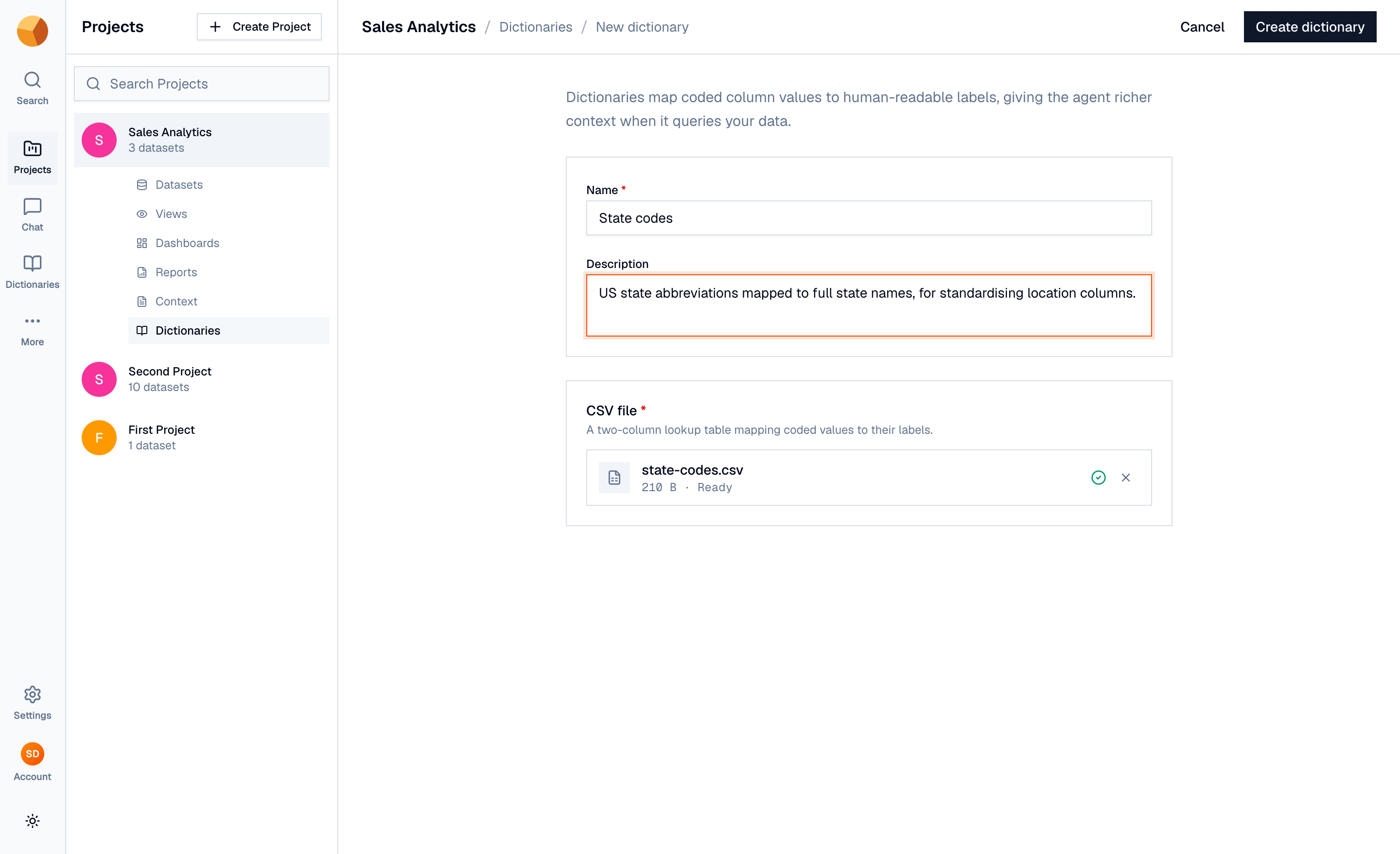
- Name it — for example "State codes". A description of what it covers is optional but helps.
- Upload the CSV — a lookup table mapping coded values to their labels (up to 50 MB).
- Create dictionary — GoPie reads the file and infers a column-by-column schema for it automatically, including per-column descriptions.
Editing later works the same way — update the name and description, or replace the CSV outright. Dictionaries are project-scoped: they apply to datasets cleaned in this project.
Know what they do (and don't)#
Dictionaries feed exactly one flow: the data-cleaning standardisation step during dataset creation, where GoPie infers a target schema for messy data. A matching dictionary tells that inference what "TX" or "resp_4" actually means, producing better column mappings and standardised values.
NoteDictionaries do not influence chat, SQL generation, dashboards, or reports — at query time the AI works from descriptions, documents, and custom prompts. If you want the meaning of coded values available when querying, put it in the column description or upload the codebook as a context document.
Delete#
Deleting a dictionary (row menu, or bulk-select) is permanent. Datasets already cleaned with its help are unaffected — the dictionary informed their creation; it isn't referenced afterwards.