
Datasets & sources
Dataset settings
Open a dataset and select Settings in the header. Settings is a sub-area with five tabs; the back link in the left rail returns you to the dataset.
Two conventions apply throughout:
- Everything autosaves. Edits commit when you click away (or press ⌘ Enter in a text field) — there are no Save buttons. A brief "Saving…" spinner confirms each write.
- Editing follows your role. Organisation owners and admins can edit any dataset; the dataset's creator can always edit their own. Everyone else sees read-only values.
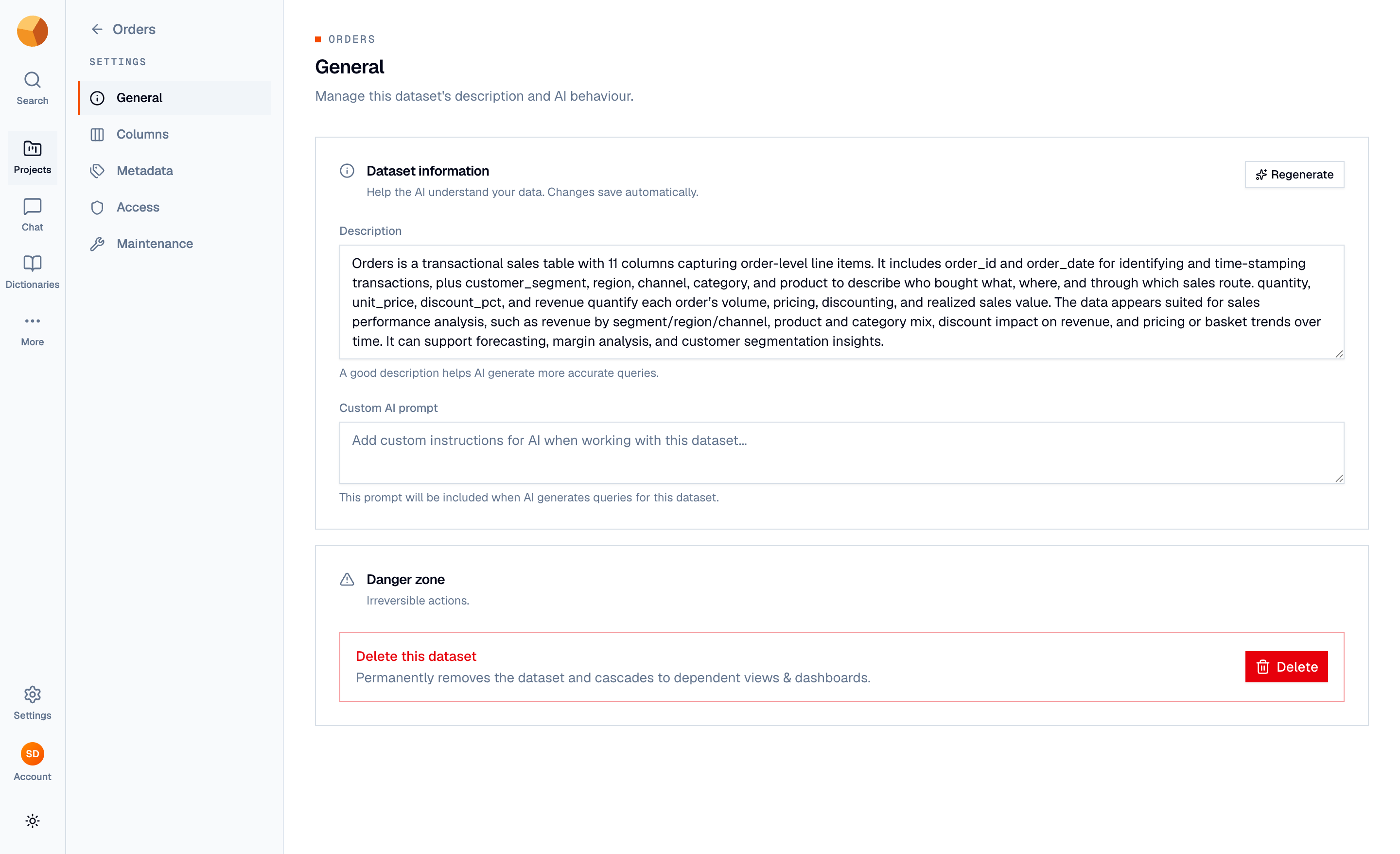
General#
The dataset's description and custom AI prompt (both feed the AI — see Schema & column descriptions), a Regenerate button that redrafts the description with AI, and — for those who can delete — the Danger zone with the delete action (see Deleting & managing datasets).
Renaming the dataset happens on the dataset page itself: the title in the header is editable in place.
Columns#
Per-column descriptions with inline editing and a bulk AI Regenerate. Covered in detail in Schema & column descriptions.
Metadata#
Free-form key/value fields that travel with the dataset — things like Time Period, Units, Source, or License. Add rows with Add field; empty and duplicate keys are flagged.
The tab's Export section offers Download metadata as a PDF or JSON report — the dataset's schema with each column's name, type, range, and description. Useful as a data-dictionary handoff.
Access#
Control who in your organisation can access this dataset. The panel lists users with access and lets you add or remove them from your organisation's members — what a grant unlocks (and how it combines with project-level grants) is covered in Sharing & access.
- Only organisation owners and admins can add or remove users — everyone else sees a "View only" notice.
- You can't remove yourself.
Maintenance#
Two maintenance surfaces:
- Search index — a Re-index button that rebuilds the semantic index behind chat. Reach for it if the dataset isn't findable in chat; it's safe to run any time.
- Storage & retention — where version-history retention and storage cleanup live: how long to keep versions, a snapshot cap, storage statistics, and a Clean up now action. Full detail in Version history & time travel.